Month: March 2014

  • Android HTTP POST authentication error with Basic Auth

    In one of my Android apps, a user should be able to push JSON data to the server. Of course this should only be allowed if the user is authorized by his credentials. For simplicity, I decided to use Basic Auth via HTTPS.

    As I usually do not deal with Connectsions directly, I prefer to use the Apache Http classes to make life easier. So I used code like the following:

    HttpParams httpParams = new BasicHttpParams();
    HttpProtocolParams.setContentCharset(httpParams, HTTP.UTF_8);
    HttpProtocolParams.setHttpElementCharset(httpParams, HTTP.UTF_8);
    HttpConnectionParams.setConnectionTimeout(httpParams, 5000);
    client = new DefaultHttpClient(httpParams);
    client.getCredentialsProvider().setCredentials(
        new AuthScope("localhost",80),
        new UsernamePasswordCredentials(username, password)
    );

    This was fine and worked in my local test environment and also in the live stage with GET requests. But when I started to POST data to the server I always got a “401 Unauthorized”. First I thought It’d be malformated JSON or encoding issues – but even with an empty string as payload I simply didn’t get through. Also the “same” POST request from the commandline using CURL worked like a charm! So it was very likely to be an issue with my handling of the Apache HTTP Lib. Stackoverflow also showed various people with the same problem. The proposed solution that came up several times was to manually set up the auth header. Not really the solution that I thought would be the greatest one.

    After some more StackOverflow Posts and API crawling I found the very simple solution:

    client.getCredentialsProvider().setCredentials(
       new AuthScope(AuthScope.ANY),
       new UsernamePasswordCredentials(username, password)

    And yes, it was that easy! Just set the Auth scope correctly.

    I’m just very surprised that I only encountered issues with the POST request. The very same configuration worked with a GET without problems. This was actually the point that made me sure that this part of the code was correct.
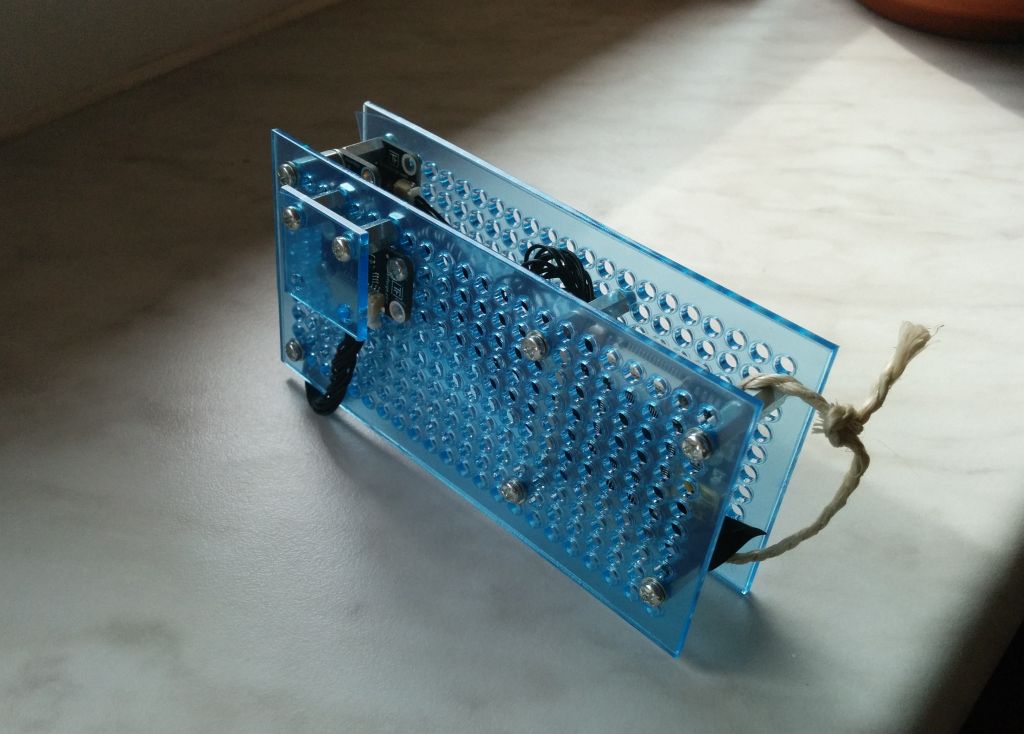
  • RaspberryPi Weatherstation – The Sensor Station (Part II)

    The second post of this series describes the RasperryPi that is connected to the sensors and used to record the data.


    Part 1 – Part 2 – Part 3


    Hardware

    As described in the first part, I decided to use sensors from Tinkerforge as they are comparatively cheap, require no soldering, no electrical know how and they also provide a convenient API to get the data from the sensors. Ideal for people like me who want to spend more time with using the data instead of playing around with wires, resistors, etc.

    The required hardware was just.

    Raspberry Pi - Sensor Station

    (more…)

  • My first RaspberryPi project: TV-Controlled Weatherstation (Part I)

    Part 1 – Part 2 – Part 3


    History

    For quite some time I’ve been playing with the thought about bying a Raspberry Pi. Yet the biggest issue was: I had no use case for it!

    I always liked information about the weather – especiallly I wanted to know in the morning how cold it was at night etc. So the use case was found: a weather station! Yet I was pretty distracted from all examples that I found on the web as I wanted a visually appealing UI so that it is fun to look at the data. Usually the samples just controlled a small LED display to display some values but – honestly – I don’t need a display at the weatherstation directly – I mean – shouldn’t it be somewhere outside and not in the room?

    (more…)

  • Tomcat MongoDB Authentication Realm

    Tomcat MongoDB Authentication Realm

    Tomcat provides a nice and powerful mechanism for authentication by the so called Tomcat Authentication Realms.
    In the Tomcat Docs, Realms are explained as:

    A Realm is a “database” of usernames and passwords that identify valid users of a web application (or set of web applications), plus an enumeration of the list of roles associated with each valid user. You can think of roles as similar to groups in Unix-like operating systems, because access to specific web application resources is granted to all users possessing a particular role (rather than enumerating the list of associated usernames). A particular user can have any number of roles associated with their username.

    (more…)